


Want to remove backgrounds from your images in your catalog ads? Here's how you can remove and bulk edit/add backgrounds to your dynamic ads on Meta.
There are a ton of paid and free apps that’ll let you remove backgrounds from your images.
All it takes is seconds and just a few clicks to remove the background of any product photo, create a transparent image and then add text, gradients, on-brand backgrounds, and more, to create amazing ads for social advertising.
But what do you do if you want to do this in bulk for your dynamic catalog ad creatives on Meta?

Removing product-image backgrounds for dynamic catalog ads
Most DTC stores have plain images with white backgrounds as their primary photos in their product feeds.
While this is an eCommerce convention (for example, for Shopify store owners), it can severely limit how your catalog ads look.
One of Socioh’s users faced just such a problem.
They wanted a bulk solution that would help them convert their .webp images to .png formats so they could use different backgrounds for different categories of their products, and make their catalog ads stand out.
The Problem: The store has an inventory of over 3000 health supplements from across verticals and brands. They wanted a bulk solution not just for uploading and saving transparent images, but also for adding relevant backgrounds to each product based on category and/or timed promotions.
For instance, for their whey protein supplements, the brand wanted an automated catalog design that would superimpose their entire range of supplements against a dark-colored ‘gym’ or ‘workout’ background.
However, to do this without Socioh’s Branded Catalog, the brand would have to remove backgrounds for each of these images, add new backgrounds and USPs for individual products onto separate image files, and then create a manual carousel using this.
Done manually, it would result in days of grunt work for their design team (and they’d lose the advantage of Meta’s advanced AI data on dynamic product ads).
Plus, any time they would change the design or the promotion, they’d have to start from scratch again.
The Solution: With Socioh, they were able to bulk-remove the backgrounds of their product images in seconds. These images were then placed on on-brand backgrounds using Socioh’s Branded Catalogs.
Take a look at the example below:

Socioh automatically picked the transparent image, before-after prices, and other dynamic information like benefits for each product. This created a catalog that could be used for both retargeting shoppers who had already shown interest in whey protein, or for prospecting for whey supplement buyers.
And what’s more, with Socioh, they only need to remove backgrounds once — and can create as many designs as they like.
Let me explain.
Let’s say the brand wanted to test a blue instead of a red gradient in the background.
All they have to do is go to the designer, switch the color gradient stop points and their new catalog is ready — in just 5 clicks!

Examples of brands using background-removed images in their catalog ads
Here are some more great examples of brands using Socioh’s Branded Catalogs to add on-brand backgrounds:
Specialized
Specialized never ran dynamic catalog ads as the plain feeds hurt their branding, one of their biggest assets. But with Socioh, they could create exactly the templates they needed.
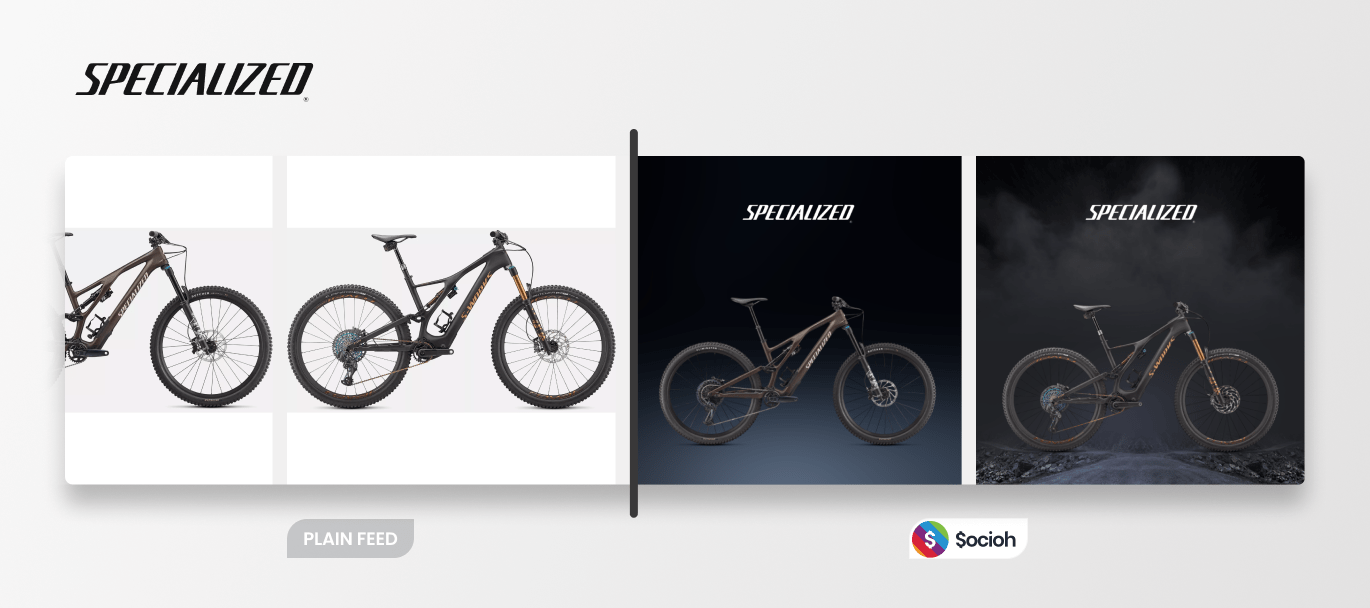
Example 1: In this instance, they used transparent images with moody rotating backgrounds to make their all-terrain bikes stand out and present a seamless visual experience (from their website to ads).
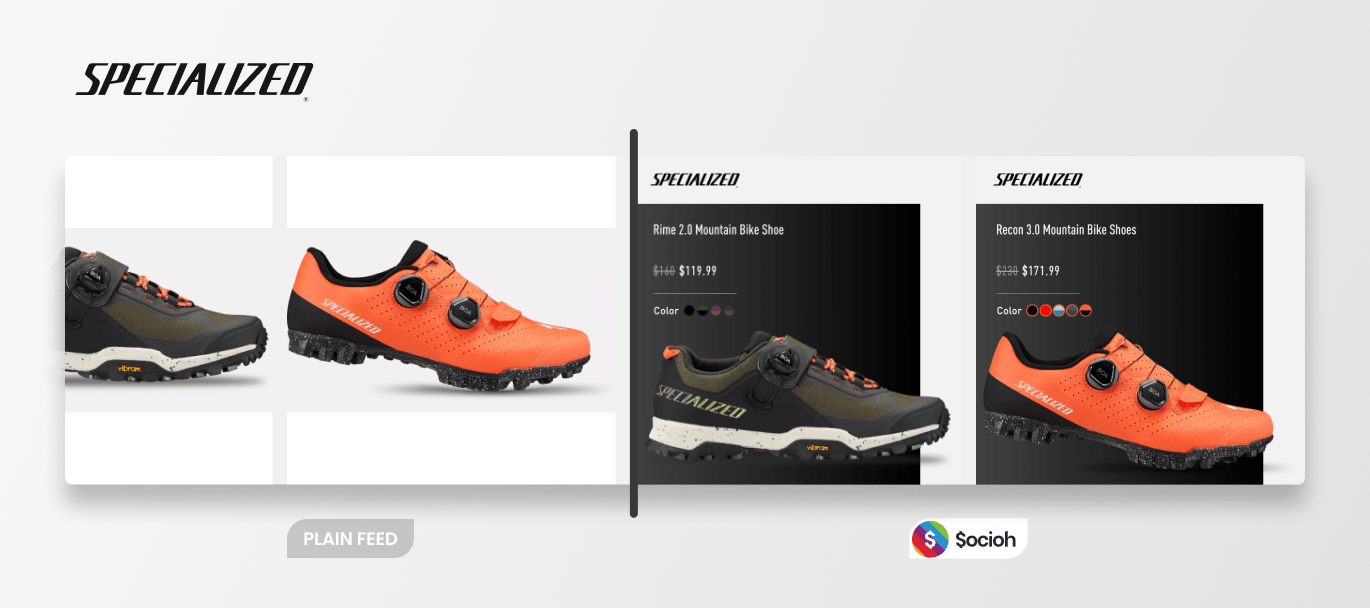
Example 2: Here, the brand removed the products’ backgrounds and added metadata like product titles, prices, and color swatches to convey relevant information to shoppers.
Brümate
The brand sells sophisticated drinkware that can travel. But the plain white background product images don’t convey much. Using Socioh, they were able to add fun backgrounds to make their ads stand out during their promotions.
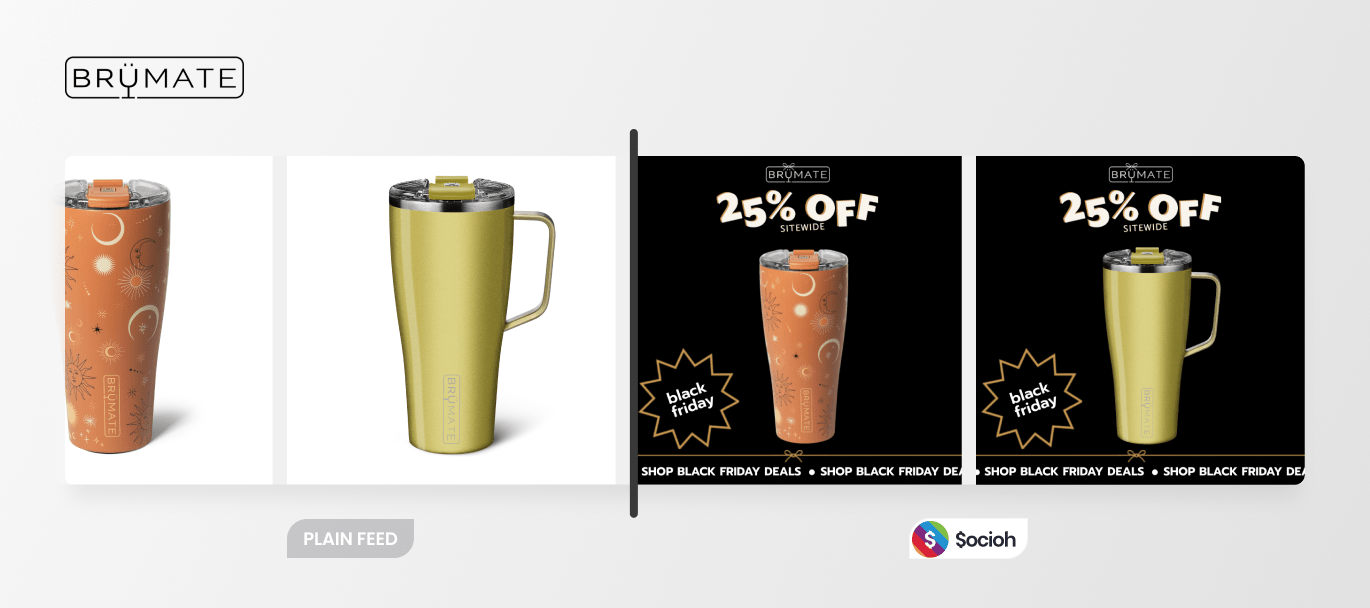
Example 1: In this example, they turned their plain image feed into a fun and eye-catching Black Friday promotion. The discount and offer are clearly highlighted to stand out in shoppers’ feeds and create FOMO.
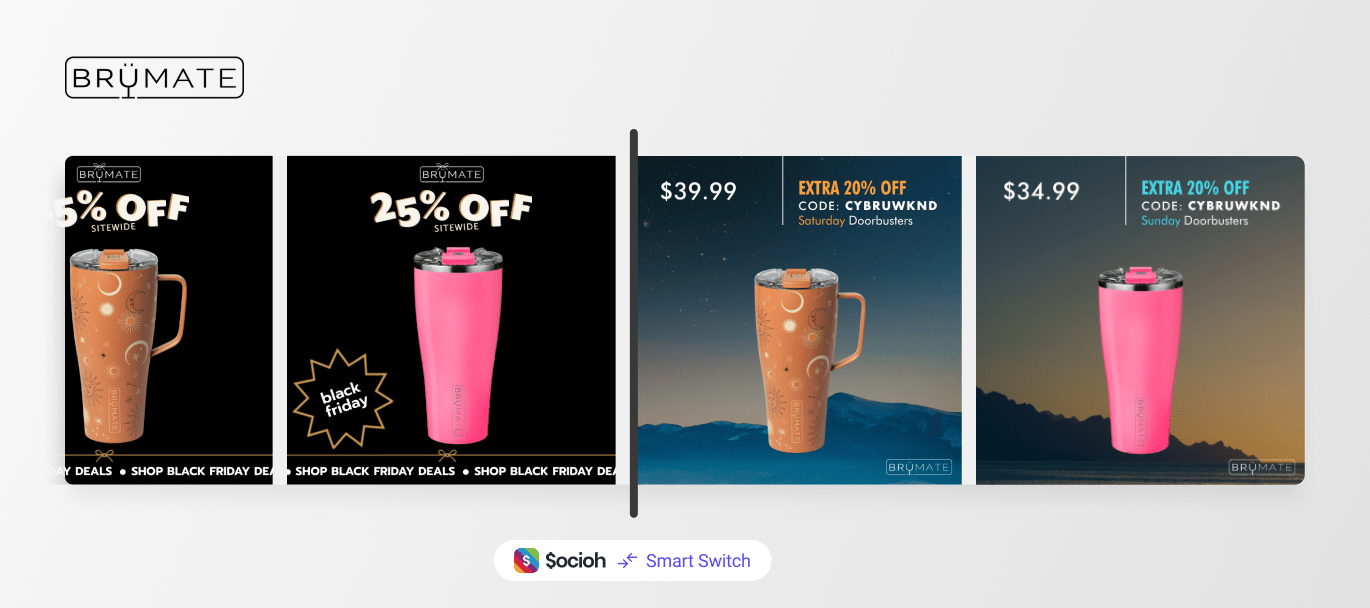
Example 2: Once Black Friday was over, Brümate switched from Black Friday to Cyber Monday promos seamlessly using Socioh’s Smart Switch feature — and all without losing learnings. Learn more.
Tacventure
German brand Tacventure used background-removed images and scenic backgrounds to catch the eye of their potential customers.
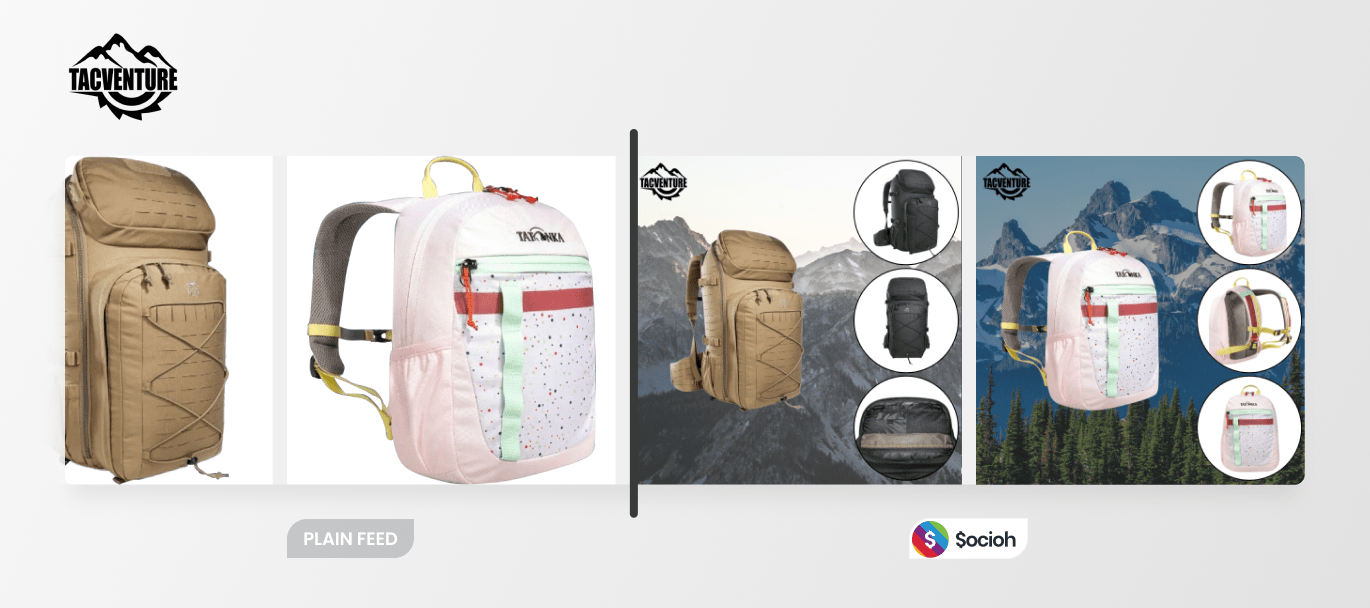
Here, the brand uses background-removed images and outdoorsy backgrounds, along with multiple images to create a thumb-stopping ad showcasing their hiking backpacks.
Vaer Watches
The brand used background-removed images in a number of ways, often combined with their lifestyle images.
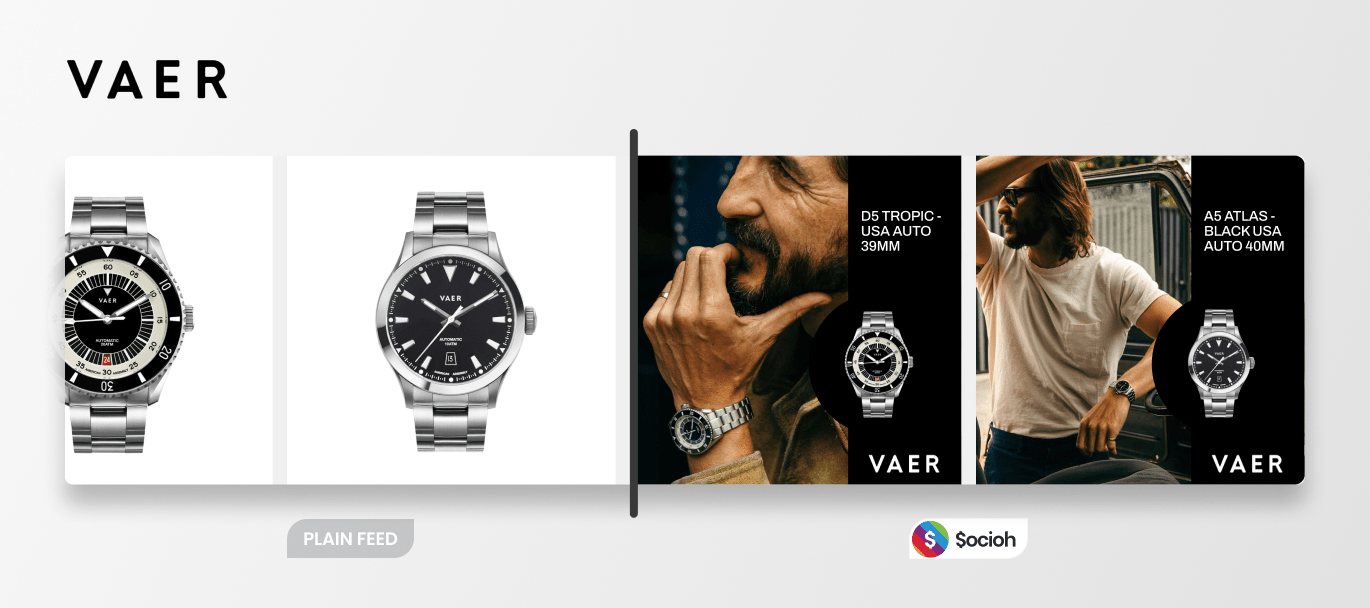
In this catalog, the brand turned its plain feed into a dark-background catalog ad that used their lifestyle images along with product images on a black background.
And there’s so much more you can do with background removal — especially when the feature comes with a full-set designer tool that is optimized to enrich your entire product feed.
Want to know more? Here’s everything you need to know about Socioh’s Branded Catalogs before you get started.
See more examples of catalog ads by real brands.